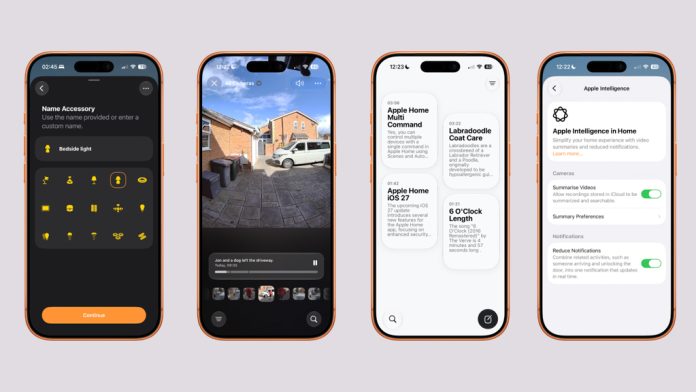
Apple has officially released the iOS 27 Public Beta, giving Apple Home users their first opportunity to try the biggest smart home update since iOS 18. After more than a month of developer testing, the software is now available to anyone enrolled in Apple’s Beta Software Program ahead of its expected public release this September.
If you’re an Apple Home user, this isn’t just another iPhone update. iOS 27 introduces several meaningful improvements that make controlling your smart home feel faster, more intelligent and more reliable.
Here’s everything you need to know.
A Smarter Siri for Apple Home
Without doubt, the biggest improvement is Siri.
For years, Siri has often felt frustrating when controlling Apple Home. If you wanted to dim lights after turning them on, you’d usually have to repeat the room or accessory name each time.
That’s changing.
With iOS 27, Siri can now maintain context during conversations. For example:
- “Turn on my office desk strip.”
- “Set it to 40%.”
- “Actually, turn it off.”
Instead of asking which light you’re referring to, Siri understands you’re still talking about the same accessory.
It makes controlling Apple Home feel significantly more natural and conversational. While Siri still struggles with some complex multi-action requests, this is the biggest leap forward for voice control we’ve seen in years.
HomeKit Secure Video Gets Its Biggest Upgrade Yet
Apple is also laying the foundations for the next generation of HomeKit Secure Video.
Later this year, compatible cameras will support:
- 4K recording
- Improved event detection
- AI-powered video search
- Intelligent notification summaries
- Better timeline navigation
However, there’s an important catch.
Not every existing HomeKit camera will support 4K recording. Apple has introduced new technical requirements, including updated video processing capabilities and support for new encoding standards. That means some current cameras may never receive the upgrade, even if they’re HomeKit Secure Video compatible today.
If you’re considering buying new cameras this year, it may be worth waiting to see which manufacturers announce support for the new platform.
Faster Apple Home Setup
Apple has also improved how new accessories are added to Apple Home.
The setup process is noticeably smoother and now includes the ability to pause installations while adding multiple accessories.
It sounds like a small change, but if you’re installing several Matter or HomeKit devices at once, it makes the onboarding experience much less frustrating.
Combined with ongoing improvements to Matter, Apple continues to make adding new smart home devices far easier than it was only a couple of years ago.
Better Energy Monitoring
Apple continues expanding its Home Energy features.
If you have compatible smart plugs or energy-monitoring accessories, iOS 27 improves live power reporting and makes energy usage data more reliable.
While many of the advanced utility integrations remain limited to certain regions, Apple is clearly investing in making the Home app a better place to understand how much energy your smart home is using.
Apple TV and Home Hub Improvements
Behind the scenes, Apple has also made small but welcome improvements for users with multiple Home hubs.
When manually changing your preferred Apple TV or HomePod as the active Home hub, the Home app now reminds you to re-enable automatic updates. It’s a simple addition that helps avoid running older software, which can impact Home reliability.
Apple TV and HomePod software 27 should also be updated alongside your iPhone to ensure you can access all of the latest Apple Home features.
Should You Install the Public Beta?
Compared to previous years, the iOS 27 Public Beta has proven to be relatively stable during developer testing, particularly for Apple Home users. Camera crashes seen in earlier builds have largely been resolved, and overall Home app performance feels more responsive. That said, this is still beta software and bugs, battery drain or compatibility issues can occur. Apple recommends backing up your device before installing, and many users prefer to test beta software on a secondary device rather than their primary iPhone.