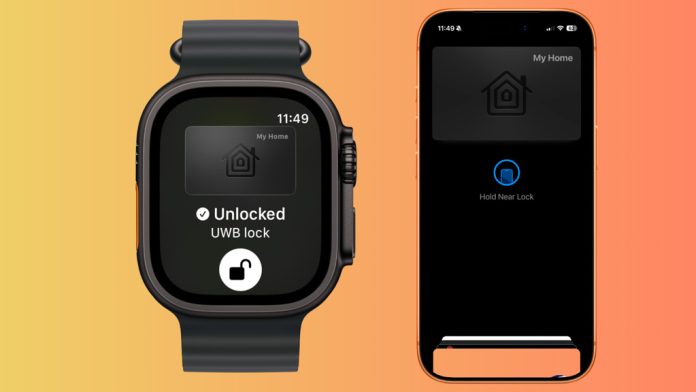
Apple Home Key has already changed how smart locks work within Apple Home. Instead of fumbling for keys, opening an app, or entering a code, your door can be unlocked using an iPhone or Apple Watch stored securely in Apple Wallet. It is simple, fast, and deeply integrated into the Apple ecosystem.
First announced at WWDC 2024 Ultra Wideband support sets to make Home Key becomes more intelligent, more intentional, and far less prone to accidental unlocks when using location based automations. This is not about making doors unlock faster. It is about making them unlock only when they should.
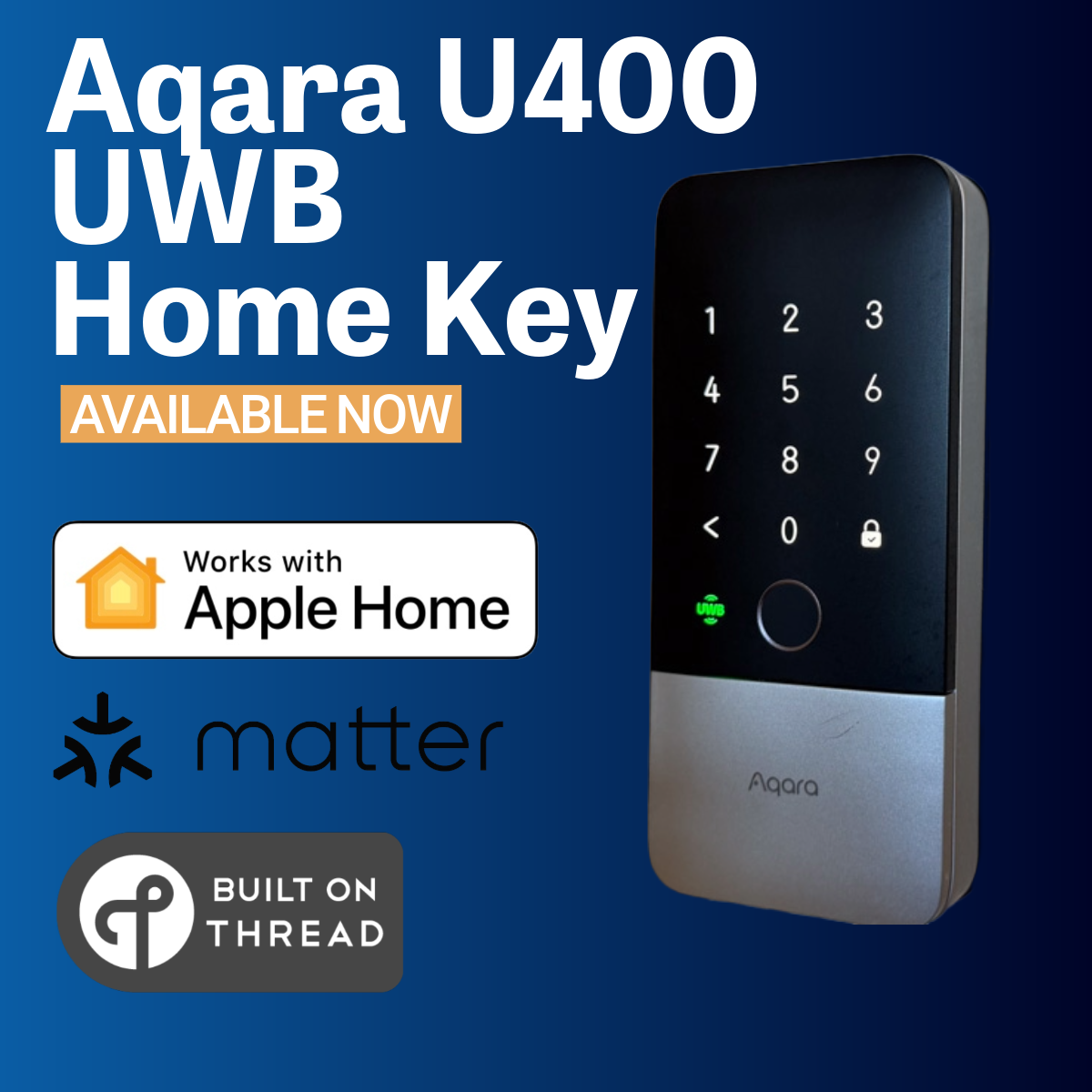
Ultra Wideband does not replace Home Key. It enhances it and with new smart locks set to launch this year and CES 2026 about to start. Expect more smart locks with UWB support coming in 2026.
What Is Apple Home Key Ultra Wideband

Ultra Wideband, often referred to as UWB, is a short range wireless technology that allows devices to understand precise distance and direction, not just location. Unlike GPS, which can unlocks as you approach home , Ultra Wideband can determine where you are in relation to another object and whether you are approaching it or moving away.
Apple already used Ultra Wideband in features such as Precision Finding for AirTag, AirDrop direction awareness, and nearby device interactions with HomePod. Bringing this same technology to smart locks felt like a natural next step.
When applied to Home Key, Ultra Wideband allows a compatible smart lock to understand intent. Instead of simply detecting that your phone or watch is nearby, the lock can determine that you are approaching the door from the correct direction and at close range.
This distinction is critical. Proximity alone is not intent. Direction and movement tell a far more accurate story.
The result is more natural unlock behaviour that improves convenience while also strengthening security.
What You Need to Use Apple Home Key with Ultra Wideband
Ultra Wideband support for Apple Home Key is not available on every device or smart lock by default. To use UWB based unlocking, all of the following requirements need to be met.
A Compatible iPhone
Using Ultra Wideband with Home Key requires an iPhone that includes a UWB chip. This means an iPhone 11 or newer, as these models already support features such as Precision Finding and directional AirDrop.
Your iPhone must also be running a recent version of iOS that includes support for Ultra Wideband Home Key. Without UWB hardware, Home Key will continue to work, but only in the standard tap to unlock mode.
A Compatible Apple Watch
Ultra Wideband Home Key is also supported on Apple Watch models that include UWB hardware. This currently means Apple Watch Series 6 or newer, including Apple Watch Ultra and newer, running a supported version of watchOS.
When used with a compatible smart lock, Apple Watch enables hands free unlocking, unlock notifications, and the ability to relock the door directly from your wrist if an unlock occurs unintentionally.
A Compatible Smart Lock with Ultra Wideband Support
The most important requirement is a smart lock that supports Apple Home Key and includes built in Ultra Wideband hardware.
Not all Home Key smart locks support UWB. The lock must explicitly list Ultra Wideband support and receive firmware that enables this functionality. This is both a hardware and software requirement and cannot be added to older locks that lack the necessary components.
With CES 2026 approaching and more manufacturers adopting Ultra Wideband, we should see a growing number of smart locks launching with UWB support as standard.
If your lock does not support Ultra Wideband, Home Key will still function normally, but without directional detection, approach based unlocking, or Apple Watch relock notifications.
How Apple Home Key Ultra Wideband Works
In day to day use, you rarely notice Ultra Wideband working. That is intentional. You do not need to open an app, press a button, or trigger a specific action. It simply works as part of Apple Home Key on a compatible smart lock.
If your lock receives a firmware update that enables Ultra Wideband, you will typically receive a notification informing you that the feature is available. From there, you can choose whether to use it or turn it off entirely.
When Ultra Wideband is enabled, your iPhone or Apple Watch communicates with the smart lock using UWB to determine both distance and direction. The lock will only unlock when it detects that you are actively approaching the door from an expected direction. This directional awareness is what separates Ultra Wideband from traditional proximity based unlocking.
When the door unlocks, you receive a Home Key notification on your iPhone or Apple Watch, confirming that access has been granted. This immediate feedback reassures you that the system is working as intended.
The result is a system that feels deliberate. You approach the door and it unlocks. You walk away and nothing happens. It enhances the convenience of Home Key, especially in hands free situations such as carrying shopping, holding a child, or arriving home with your hands full.
Directional Detection Settings in the Home App
One of the most important advantages of Ultra Wideband enabled Home Key is the ability to define how approach detection works.
Within the Apple Home app, you can configure directional settings for the smart lock. This allows you to specify which direction counts as a valid approach for unlocking. In most cases, this will mean approaching the door from straight ahead
You can also enable side approach detection independently. This means you can allow unlocking when approaching from the left side, the right side, or both, depending on your home layout.
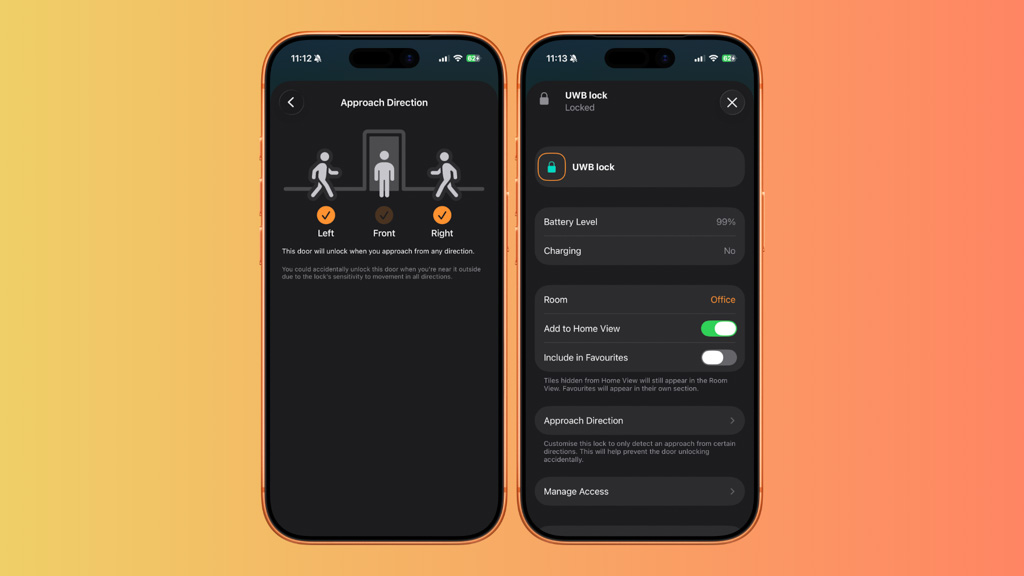
This level of control is surprisingly powerful. Homes are not uniform. Front doors may be close to living spaces, hallways, or exterior walls. Without directional awareness, proximity based unlocking could easily misfire.
It also makes Home Key suitable for more challenging environments such as apartments, shared entrances, or homes where doors are frequently passed from different directions.
Ultra Wideband Controls in Apple Wallet
Ultra Wideband can be enabled or disabled directly within Apple Wallet for your Home Key. This applies independently to both iPhone and Apple Watch.
This is an important detail. Control is per device, not global.
You may want Ultra Wideband enabled on your Apple Watch for hands free unlocking, while preferring traditional tap to unlock behaviour on your iPhone. Apple allows for that flexibility.
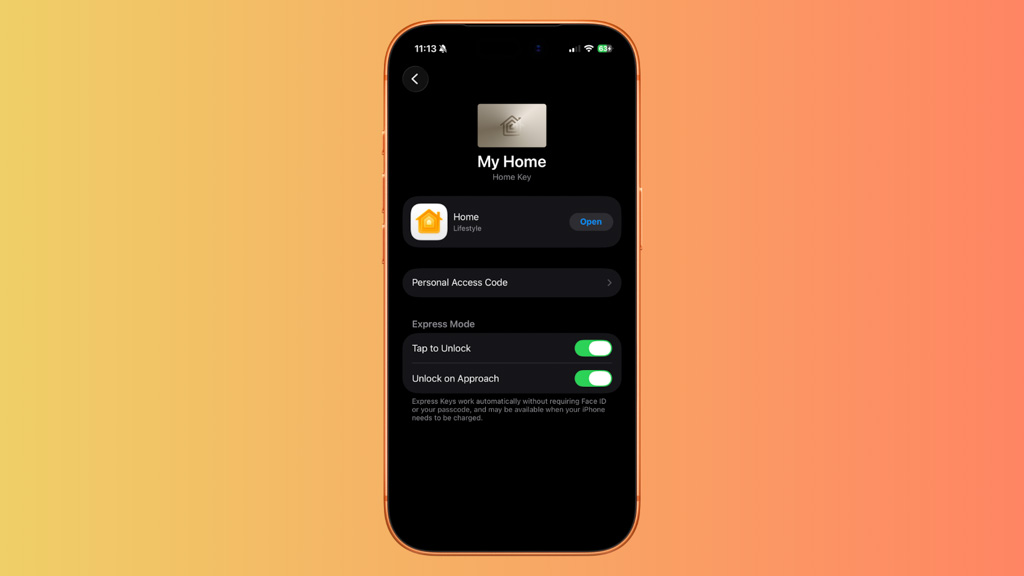
If you disable Ultra Wideband in Wallet, Home Key continues to work exactly as before. You can still unlock by holding your device near the lock. Nothing is lost by turning it off.
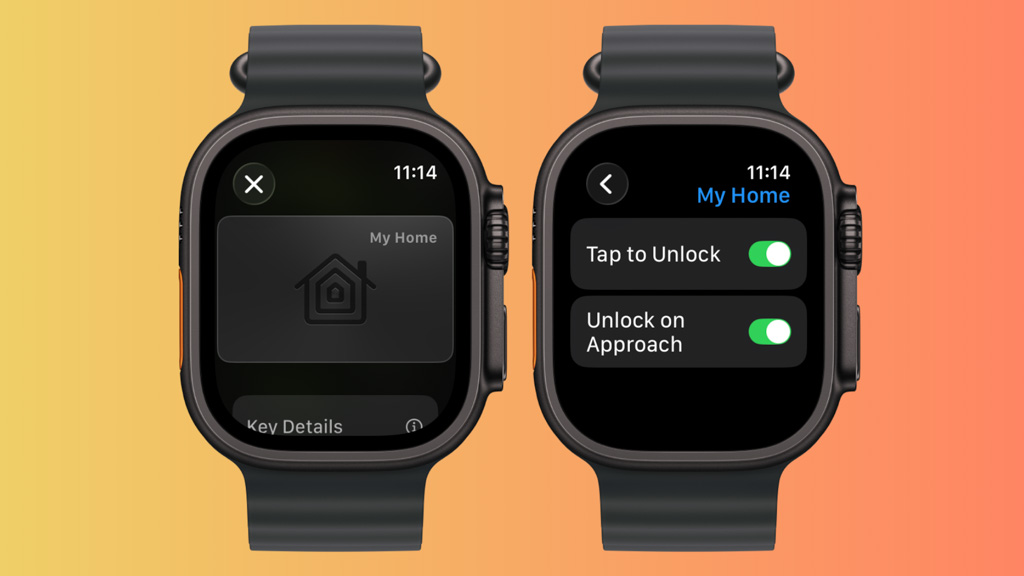
This flexibility matters because not every home, lock, or user has the same needs. Some users prioritise maximum automation. Others prefer deliberate manual interaction. Apple accommodates both without forcing a single behaviour.
Accidental Unlock Protection on Apple Watch
One of the most thoughtful features of Ultra Wideband enabled Home Key appears when using an Apple Watch.
If the lock unlocks while you are wearing your Apple Watch and moving near the door, the Watch immediately displays a notification. That notification includes a clear option to relock the door directly from your wrist.
This feature addresses one of the biggest concerns around automatic unlocking systems. What happens if the door unlocks when you did not mean it to?
The answer is simple. You are informed immediately and given control instantly.
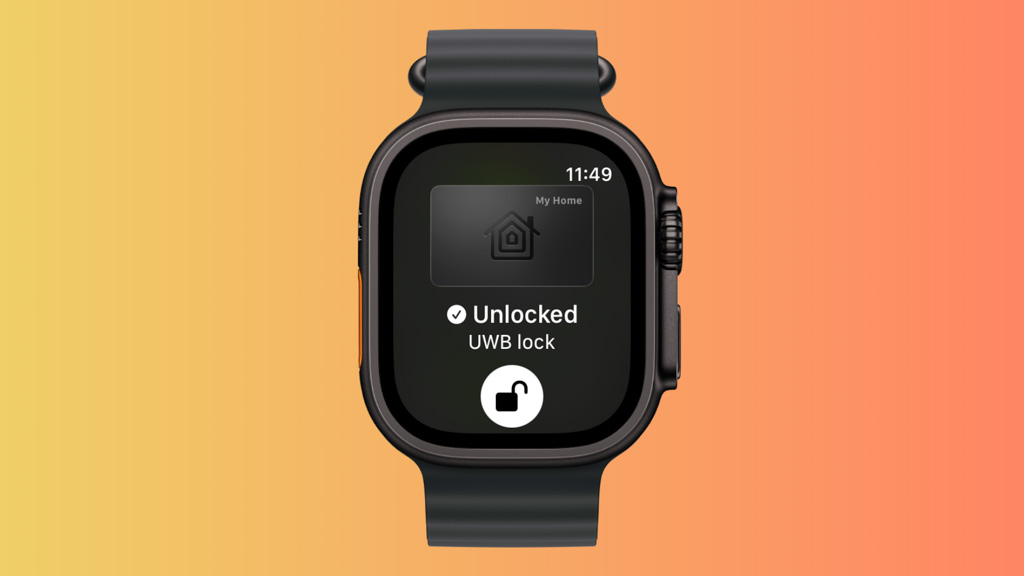
Consider a real world scenario. You leave the house, get into your car, and then realise you have forgotten something on the porch. As you move back toward the door, the lock may unlock because it detects you approaching. Before you even think about whether the door is secure, your Apple Watch alerts you and offers the option to relock.
For anyone concerned about security and peace of mind, this is genuinely valuable. It removes uncertainty and prevents second guessing. You do not need to open an app, check camera feeds, or walk back to the door. Control is right there on your wrist.
Why Ultra Wideband Makes Home Key Better
Ultra Wideband does not make Home Key faster. It makes it smarter. It reduces accidental unlocks by understanding direction and tt adds intent by recognising approach rather than location. But more importantly, It provides immediate recovery when something does not go as planned.
Most best of all, it does all of this quietly in the background without adding complexity for the user.
Once configured, Ultra Wideband fades into the experience. It does not demand attention. It simply ensures that Home Key behaves the way you expect it to.
This is Apple at its best. Technology that disappears once it is set up, but steps in at exactly the right moment when it is needed.
The Future of Home Key and Ultra Wideband
As more smart locks adopt Ultra Wideband support, Home Key will continue to evolve away from being a digital replacement for physical keys and closer to becoming a true context aware access system for the home.
It understands who you are, where you are, and what you are trying to do. That is the direction Apple Home has been moving in across lighting, presence detection, and automation.
Looking ahead, the industry is also watching the development of the Aliro standard that is is being launched by the Connectivity Standards Alliance. How Apple chooses to align Home Key with emerging access standards remains to be seen.
What is clear is that Ultra Wideband has already set a new baseline for what smart lock interaction should feel like inside Apple Home. Quiet, deliberate, and designed around intent rather than guesswork.
If this is the direction Apple continues to take for other devices in your home, Apple Home is no longer just convenient. It becomes genuinely intelligent.