Matter, Thread, Zigbee, WiFi, Ethernet, and Bluetooth
If you have ever browsed for smart home gear and found yourself staring at a wall of logos, trying to work out what actually works with Apple Home, you are not alone.
Matter, Thread, Zigbee, WiFi, HomeKit. They are all mentioned on product pages, yet very few explain what they really mean or how they fit together. The result is confusion, wasted money, and smart homes that never quite behave the way people expect.
This article breaks down the standards that power an Apple Home setup, what each one does, what it does not do, and how Apple has moved from the early HomeKit days to the modern Apple Home experience in iOS 26.
By the end, you should have a clear understanding of what to buy, what to avoid, and how everything fits together.
Understanding the three layers of Apple Home
The easiest way to understand Apple Home is to stop thinking about it as a single system and instead see it as three distinct layers working together.
Think of it like sending a letter. First, there is the language the letter is written in. That language defines what can be said and how it is interpreted. In the smart home, this is the standard or framework, such as HomeKit or Matter. These determine what a device understands and what it is capable of doing.
Next, there is the delivery method. This is how the letter actually moves from one place to another. In a home, that delivery happens over networks like WiFi, Thread, Ethernet, Zigbee, or Bluetooth. Each has strengths, weaknesses, and specific use cases.
Finally, there is the place where you write, send, and read the letter. That is the platform. In this case, it is Apple Home and the Home app.
Most smart home confusion comes from mixing these layers together. Once you separate the framework, the network, and the platform, Apple Home becomes far easier to understand.
Apple Home vs HomeKit and how we got here
One of the biggest sources of confusion is the difference between HomeKit and Apple Home, and between native HomeKit support and Apple Home support via Matter.
Originally, Apple’s smart home platform was referred to simply as HomeKit. Today, HomeKit is the framework developers build against, while Apple Home is the platform you see and use on your iPhone, iPad, Apple Watch, and Mac.
HomeKit is Apple’s own development framework that manufacturers integrate directly into their products. Devices with native HomeKit support communicate straight with Apple Home using Apple’s APIs, Apple’s security model, and Apple’s feature set. These products also go through Apple’s MFi certification process.
This native integration is what enables the deeper features people associate with Apple Home, such as Apple HomeKit Secure Video. At the time of writing, cameras that support HomeKit Secure Video still require native HomeKit certification, and how Apple will extend this under newer versions of Matter remains an open question.
Today, Apple Home supports two distinct paths. Some devices integrate natively through HomeKit, while others connect via Matter, with Apple Home acting as the Matter controller.
From the user’s point of view, both types of device appear in the Home app, can be controlled with Siri, and work in scenes and automations. The difference lies beneath the surface. Matter devices are limited to the features defined by the Matter standard and what Apple chooses to implement, while native HomeKit devices can expose deeper, Apple specific functionality.
Matter makes buying simpler and compatibility broader. Native HomeKit can still offer richer features. Apple Home supports both intentionally, and neither replaces the other. They are designed to complement each other.
What Matter really means for Apple Home
Matter represents the biggest shift in the smart home in years. It is a cross platform standard designed to allow devices to work across ecosystems instead of being locked to one platform.
A Matter device can be added to Apple Home, Google Home, Alexa, or SmartThings, depending on the device category and the level of support each platform provides. For Apple Home users, this has several practical effects.
Buying devices becomes easier because Matter significantly reduces the guesswork around compatibility. It also expands choice, bringing brands into Apple Home that previously never supported HomeKit.
At the same time, Matter places more importance on the home hub. Matter devices still require a controller, and in Apple Home that role is filled by a HomePod or Apple TV.
It is important to understand that Matter is not a universal upgrade. It supports specific device categories and a defined set of features for each. A Matter device does not automatically gain every Apple Home feature. This is why some native HomeKit devices still offer deeper control than their Matter equivalents.
Matter improves compatibility. HomeKit can still go deeper. Apple Home is designed to balance both.
Thread and its role inside Apple Home
Thread is often misunderstood because it is frequently mentioned alongside Matter, but it serves a very different purpose.
Thread is not a platform and it is not a compatibility label. Thread is a network protocol.
Using the letter analogy, Thread is simply the delivery method. It is a low power, fast, mesh based wireless network designed for smart home devices like sensors, locks, lights, and smart plugs.
The mesh aspect is crucial. Thread devices can relay messages through each other, meaning the network becomes stronger and more reliable as you add more compatible devices. This is why Thread enabled lights and plugs are especially valuable, as they help reinforce the network rather than just consuming it.
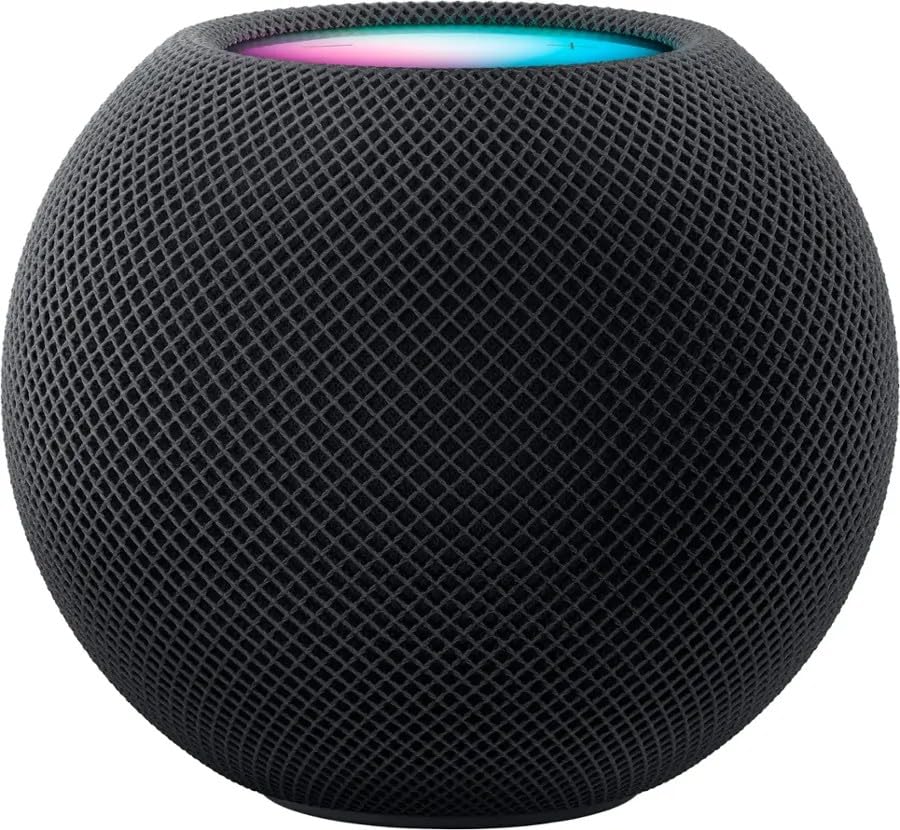
In Apple Home, Matter over Thread is the ideal combination. HomePod mini, newer HomePod models, and supported Apple TV models act as Thread border routers, linking the Thread network to your main home network.
Thread does not replace WiFi. It cannot handle high bandwidth tasks like video or audio streaming. Instead, it excels at fast, reliable communication for small devices that need to respond instantly.
Zigbee and why it still matters
Zigbee has been around for many years and remains one of the most widely used smart home network protocols.
Like Thread, Zigbee is low power and mesh based. It is heavily used by established ecosystems such as Aqara, Philips Hue, and IKEA.
In Apple Home, Zigbee devices almost always connect through a hub or bridge rather than directly. The bridge communicates with Apple Home, while the devices communicate with the bridge using Zigbee behind the scenes.
This approach has proven extremely reliable over time. Zigbee ecosystems are mature, stable, and well understood, which is why many of the best lighting systems and sensors still rely on it.
As Matter adoption grows, many Zigbee based hubs are adding Matter support. This allows existing Zigbee devices to be exposed to Apple Home through Matter without replacing the hardware. The devices stay the same, only the language spoken by the bridge changes.
WiFi in an Apple Home setup
WiFi is the most common smart home connection because almost every home already has it. In theory, it requires no additional hubs or infrastructure.
For basic household use, the router supplied by an internet provider is often sufficient. Phones, laptops, tablets, and a couple of TVs rarely cause issues.
Problems start when a smart home is layered on top. Cameras streaming video, doorbells, smart displays, multiple TVs, and background traffic from everyday devices place sustained demand on the network. Many ISP supplied routers are not designed for this level of load or for large numbers of connected devices.
WiFi devices depend heavily on network quality. As more devices are added, congestion increases and reliability can suffer. That said, WiFi remains the right choice where bandwidth is required, particularly for cameras, video doorbells, streaming devices, and smart displays.
For low power accessories such as sensors, buttons, and lighting, WiFi can be unnecessary and sometimes less consistent than Thread or Zigbee.
In Apple Home, WiFi devices usually connect either through native HomeKit support or through Matter over WiFi. A strong mesh WiFi system can make a dramatic difference to overall reliability and is one of the most important investments in a serious Apple Home setup.
Ethernet as the backbone of Apple Home
Ethernet is the most stable connection available in a smart home. It is fast, predictable, and unaffected by wireless interference.
Devices that support Ethernet are almost always more reliable when wired than when running on WiFi. This is why commercial environments rely so heavily on Ethernet for critical infrastructure.
In Apple Home, Apple TV home hubs, smart home bridges, network video recorders, and mesh WiFi nodes all benefit from being hard wired. Wiring an Apple TV and setting it as the default home hub is one of the simplest ways to improve stability.
The drawback is practicality. Running Ethernet cables in an existing home often involves drilling, lifting floors, or hiring an installer. For many people, that makes full coverage unrealistic.
Ethernet does not need to reach every device to be useful. It works best as a stable core, supporting hubs and fixed equipment while wireless technologies handle everything else.
Bluetooth and its role
Bluetooth is often overlooked and frequently misunderstood.
In Apple Home, Bluetooth is rarely used to run the system itself. Instead, it plays a supporting role during setup, pairing, proximity detection, and short range communication.
Many accessories use Bluetooth during initial setup and then switch to WiFi or Thread for normal operation. Bluetooth’s limited range and scalability make it unsuitable as a primary connection for devices expected to work reliably across an entire home.
It is best thought of as a helper rather than a backbone.
How to identify compatible Apple Home devices
One of the most common mistakes people make is assuming that “smart” automatically means compatible with Apple Home.
Devices that rely solely on Siri Shortcuts or a manufacturer’s own app are not Apple Home devices. They are often cheaper because they lack integration with Apple Home’s local control, shared automations, and scene system.
To avoid problems, look for explicit Apple Home or HomeKit support, which provides the most predictable experience. Matter support is also a strong indicator of compatibility, provided the device category is supported by Apple Home. It is worth remembering that not all device features are exposed through Matter.
Finally, check whether a hub is required. Many of the most reliable ecosystems still depend on dedicated hubs, and understanding that upfront avoids frustration later.
What you should actually buy
If you want access to the widest range of Apple Home devices, prioritising Matter compatibility, especially Matter over Thread, is a sensible approach.
If you already use Zigbee based systems like Philips Hue or Aqara, there is no reason to abandon them. They remain reliable and well supported.
For cameras and video devices, WiFi is unavoidable, making network quality critical.
Whatever you choose, an Apple Home hub is essential. A HomePod or Apple TV enables automations, remote access, and consistent behaviour across the entire system.
The myths that waste your time
- Thread does not mean a device works with Apple Home. It only describes the network it uses.
- Matter does not guarantee identical features across platforms. It guarantees compatibility within the limits of the standard.
- Zigbee is not outdated. It remains one of the most stable foundations for lighting and sensors.
- WiFi devices are not bad. They simply demand the right network and the right use case.
Understanding these distinctions is what separates a frustrating smart home from a reliable one. Most problems blamed on smart home technology come down to misunderstanding how the pieces fit together or buying the wrong device for the job.